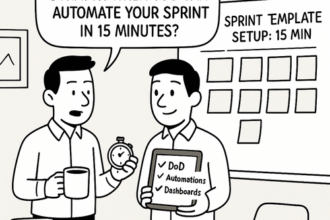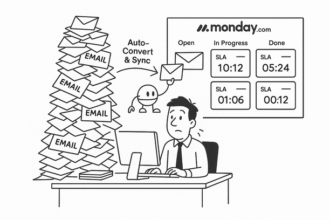

Introduction: Master the 15-Minute Rule to Eliminate Low-Value Work Daily
I used to end days exhausted yet unsure what I’d actually moved forward. After testing countless productivity systems, the simplest habit that stuck—and unlocked real time back—was a daily 15-minute triage. In a week, my interruptions dropped, my priorities got sharper, and I stopped doing work I shouldn’t be doing at all. This guide is exactly how I run it and how you can, too.
Busywork steals your focus. The 15-Minute Rule is a daily, timeboxed triage that strips out low-value tasks so you can lead. It works because you make small, consistent eliminations that compound into hours saved each week. Studies show knowledge workers spend over half their time on “work about work” and lose throughput to context switching—this ritual attacks both.
What it is (daily, 15 minutes):
- Open one queue: today’s tasks + flagged emails/Slack + PM inbox.
- Triage top 10–15 items using 3D + A:
- Delete: Non-essential? Remove/unsubscribe/opt out.
- Delegate: Assign with a clear SOP and deadline.
- Do (<2 min): Execute now.
- Automate: Add to an “Automation Backlog” to systematize with tools you already have.
- Limit your work-in-progress to 3 high-impact items; schedule the rest.
Quick wins (no new software):
- Email: Create rules/filters for notifications; convert repeated replies into templates/canned responses; schedule send for batching; use labels to separate “Needs decision” vs “FYI.”
- Slack/Teams: Mute low-value channels; use saved replies; schedule recurring status prompts instead of meetings.
- Calendar: Replace 1:1 scheduling back-and-forth with existing booking links; decline meetings without agenda or decision goal.
- Docs/PM: Turn recurring tasks into checklists; standardize “Definition of Done” on cards; route receipts/invoices via autoforward rules.
SOP-ready templates:
- Delegation Brief: Context → Objective → Definition of Done → Due date → Owner → Resources → Checkpoint cadence.
- Automation Backlog fields: Trigger → Current steps → Volume/week → Minutes each → Risk → Proposed method (rule/template/scheduled report) → Owner → ETA.
Metrics to track (weekly):
- Minutes eliminated/day; tasks Deleted/Delegated/Automated (%)
- SOPs created; WIP >3 violations
- Follow-through rate on delegated tasks
- Hours of meetings canceled/converted async
Commit to 15 minutes daily. Expect fewer interruptions, clearer priorities, and reclaimed strategic time within a week.
Step 1: Conduct a Daily Task Review to Identify Automate, Delegate, or Delete Opportunities
Timebox: 15 minutes, same time daily (ideally before deep work). Goal: move as many items as possible out of your lane using consistent rules.
Step-by-step
-
Consolidate inputs (3 minutes)
- Calendar today/tomorrow, email inbox (unread + starred), Slack DMs/mentions, PM “My Tasks.”
- Use quick filters: is:unread, @yourname, due:today. No rabbit holes.
-
Quick triage (10 minutes)
- Do-now rule: Knock out up to three sub‑2‑minute items, then stop.
- Automate if:
- Repeatable ≥3x/month, rule-based, same source, low variance.
- Existing tools can handle it (email rules/templates, Slack reminders/keywords, calendar recurring/appointments, PM recurring tasks/checklists, doc/spreadsheet templates).
- Action: Log in “Automation Backlog” with trigger, source, steps, and estimated minutes saved; create a simple rule or template now if ≤3 minutes.
- Delegate if:
- Clear outcome and definition of done; doesn’t require your unique judgment.
- An SOP exists or can be drafted in <10 minutes; someone else can do it ≥70% as well.
- Action: Assign owner + due date, link SOP/checklist, add a brief context note, set a check-in (e.g., midpoint).
- Delete (or park) if:
- No link to quarterly goals, aged >14 days with no consequence, duplicate/nice‑to‑have.
- Action: Close loop with stakeholders (“Not pursuing now—no impact on goals”), archive, or move to Someday.
-
Safety checks (2 minutes)
- $1,000/hour test: Would you pay that rate to do it yourself? If not, automate/delegate/delete.
- Worst‑case test: What materially breaks in 2 weeks if this disappears? If nothing, delete/park.
SOP-ready template (paste into a note/sheet)
- When: [Time] Duration: 15m
- Inputs: Inbox | Calendar | Slack | PM
- Do-now (≤3): [ ]
- Automate candidates: [Task | Trigger | Built-in | Minutes saved]
- Delegations: [Task | Owner | DoD | Due | Check-in]
- Deletions/Parked: [Task | Reason | Stakeholder notified?]
- Daily metrics: [#Automate][#Delegate][#Delete][Minutes freed]
Step 2: Build and Use Your Delegation Matrix and SOP Templates for Seamless Workflow
Your matrix + SOPs are the backbone of the 15-Minute Rule—every task gets a clear owner, a standard, and a clock.
Build your Delegation Matrix (10 minutes)
- Create a simple table in your existing tool (Sheet/Notion/Confluence).
- Columns: Task | Desired Outcome | Frequency | DRI (single owner) | Backup | Skill Level (L1/L2/L3) | SOP Link | SLA | Tool(s) | Decision (Automate/Delegate/Delete/Do) | Risk/Notes | Next Review.
- Populate with the top 10 recurring tasks surfaced in yesterday’s triage.
Example rows
- Weekly Invoices | 100% invoices sent, $0 errors | Weekly | Ops Coordinator | Finance Lead | L1 | SOP-INV-01 | EOD Friday | QuickBooks | Delegate | Revenue impact if late | Monthly review
- Customer Bug Triage | Bugs triaged <2h | Daily | Support Lead | PM | L2 | SOP-BUG-02 | 2h | Jira | Delegate | Escalate P1 | Weekly review
Plug-and-Play SOP Template (use per matrix row)
- Purpose & Outcome: One sentence (what “good” looks like)
- Trigger: When this SOP starts
- Owner/Backup: Match matrix
- Inputs & Tools: Links, forms, logins
- Steps (numbered, 5–9 items): Each action starts with a verb
- Quality Checks/Definition of Done: Checklist
- Edge Cases & Escalation: Who/when to pull in
- SLA & Timebox: Max time per run
- Metrics: Time taken, errors, rework
- Version/Review Date: Keep current to reduce questions
Handoff checklist (paste into tasks)
- Link matrix row + SOP
- Assign DRI, due date, SLA
- Attach example output
- Confirm receipt and understanding
- Set follow-up check at first run
Daily 15-minute use
- Tag new work A/D/D. If Delegating: add row, link SOP, assign DRI, set SLA. If Automating: log to backlog with desired outcome and trigger. If Deleting: note rationale and notify stakeholders.
Track weekly
- Hours delegated/automated vs. last week
- Questions per handoff (target ↓ to near zero)
- SLA adherence and error rate
Step 3: Apply Micro-Efficiency Tactics to Reduce Context Switching and Hidden Busywork
Cut context switching. Research shows it takes ~23 minutes to refocus after an interruption (Gloria Mark). Use this 15-Minute Rule micro-routine to install micro-efficiencies that stick.
Daily 15-minute setup (repeatable SOP)
- Minutes 0–3: Batch your communications
- Calendar: Schedule 2–3 comms windows (e.g., 10:30, 2:30, 4:45). Set Slack/Teams DND outside those windows; status: “Heads down—urgent = call/text.”
- Inbox rules (examples):
- Newsletters → Skip Inbox + label “Read Later” + mark as read.
- CC-only emails → Auto-archive + label “FYI.”
- Receipts/invoices → Label “Finance.”
- Calendar invites → Auto-add to calendar; archive notification.
- Minutes 3–7: Timebox deep work
- Create 2 focus blocks (25–50 minutes each) with a single intention line: “Finish X.”
- Park all new inputs into a “Later/Triage” list—don’t open.
- Minutes 7–10: Keyboard shortcuts primer (10 core)
- Enable Gmail shortcuts (Settings). Use: c (compose), e (archive), j/k (next/prev), s (star), / (search).
- Slack: Cmd/Ctrl-K (Quick Switcher), Shift-Esc (Mark all read), mute noisy channels.
- OS: Cmd-Space (macOS) or Win+S (Windows) to launch apps; Alt/Cmd-Tab to switch; Win+Left/Right (Windows) or Ctrl-Cmd-F (macOS) for window control.
- Pick 1 new shortcut per day; add to a team cheat sheet.
- Minutes 10–15: Hidden busywork kill-switch
- Delete: Unsubscribe or auto-archive nonessential lists.
- Delegate: Turn 1 recurring task into a 5-step SOP + owner + SLA.
- Automate: Log any repeatable >2-minute action to the automation backlog.
- Template library: Canned responses for scheduling, status, intros, “no for now.”
Micro-metrics to track (daily/weekly)
- Focus blocks completed; comms windows honored.
- Emails auto-filed by rules; estimate time saved = count x 10 seconds.
- Tasks deleted/delegated/automated (tally).
- Weekly ROI: Hours saved = (auto-filed x 10s + shortcuts used x 2s + meetings avoided x 30m) / 3600.
Make it the default: If it repeats, batch it. If it distracts, timebox it. If it’s a click, shortcut it. If it’s noise, filter it.
Conclusion: Track Your Time Savings and Embed the 15-Minute Rule for Operational Excellence
Make it a system you can see, measure, and improve.
1) Track time saved (simple math, shared sheet)
- For each recurring task: record Baseline Time (minutes) and Frequency (per week).
- After triage (automate/delegate/delete), record New Time.
- Time Saved (weekly) = (Baseline – New) × Frequency.
- Roll up by person and team; visualize with a weekly total and 4-week trend.
- Initial target: 1–2 hours/week saved per person by Week 2; raise to 3–5 hours by Week 6.
2) Minimum viable scorecard (update weekly)
- 15-Minute Completion Rate: % of workdays the ritual happened (target ≥80%).
- Tasks Triaged: # moved to automate/delegate/delete (target: 5–10/week/team).
- Weekly Hours Reclaimed: sum of Time Saved.
- SOP Coverage: % of recurring tasks with a current SOP (target ≥70% by 60 days).
- Delegation Quality: % tasks accepted and completed on first pass (target ≥85%).
- Automation Backlog Cycle Time: median days from idea to shipped (target ≤14 days).
3) Cadence that cements the habit
- Daily (15 min): Triage new/recurring tasks; log decisions; book next action.
- Weekly (30 min): Review scorecard; clear blockers; ship 1 automation/SOP; archive wins.
- Monthly (60 min): Retrospective on metrics; reset targets; prune stale backlog.
4) Delegation/Deletion guardrails (prevent dropped balls)
- Every change has: Owner, SOP link, SLA, Success Metric, Rollback Plan.
- 14-day “red-tag” period for deletions: monitor impact before permanent removal.
- QA checklist for delegated tasks: definition of done, access, handoff note.
5) Templates you can run today (no new tools)
- Task Ledger fields: Task | Baseline Time | Frequency | Decision (A/D/D) | New Time | Owner | SOP Link | SLA | Status | Time Saved | Notes/Rollback.
- Reminders: Calendar hold for daily/weekly; shared sheet for scorecard; a Slack message template for handoffs.