
Introduction: Revealing Hidden Bottlenecks in Knowledge Work with Kanban
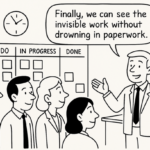
I’ve watched capable teams miss dates not for lack of effort, but because the real queues were invisible. The moment we put our work on a Kanban board and looked at the flow together, the leaks showed themselves—where work waited, who needed help, and why commitments slipped. We didn’t add headcount; we added visibility.
Kanban turns invisible queues into visible signals, so you fix flow without adding headcount. Used well, it shows exactly where work waits—and why commitments slip.
Curious where this leads? The outcome is shorter lead times, credible forecasts, and fewer update‑chasing meetings.
Cracking the Code: Using Cumulative Flow Diagrams to Spot True Constraints
A cumulative flow diagram (CFD) pinpoints the true constraint as bands thicken. Cumulative flow diagrams turn opinion into evidence: each band shows work states over time. Read slopes and widths to spot the true constraint—before you add headcount.
- Widening In‑Progress band: starts exceed finishes; lead times balloon. Cap work in progress (WIP); slow starts until Done’s slope recovers.
- Flat Done line: throughput stalled; free the narrowest review/approval step.
- Accordion near Review/QA (quality assurance): batching is present; adopt pull and explicit service level agreements (SLAs).
- Tall Blocked column: dependency, not capacity, is the issue; assign unblock owners and aging alerts.
A dedicated “Blocked” column plus aging WIP exposes silent delays and ownership gaps. Right‑sized WIP limits stabilize throughput and cut variability.
Blocked Columns Uncovered: Making Invisible Queues Visible and Actionable
Blocked work is a silent queue; treat it as a first‑class column and signal. It reveals where predictability leaks—without adding headcount.
- Make blockers explicit: add a “Blocked” column with reason codes. In the CFD, a widening blocked band flags the real constraint.
- Quantify impact: track blocked WIP, average blocked age, and percent of time blocked. Over 15–20% merits root‑cause focus.
- Set simple rules: assign an owner within 24 hours, escalate at 48 hours, and swarm before starting new work.
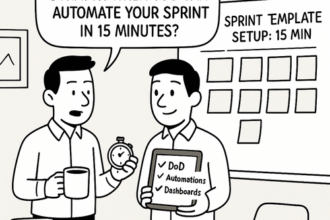
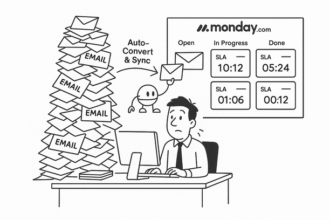
- Operationalize in Monday.com: use status plus reason fields, automations to move and notify, and CFD/aging tiles.
From Data to Action: Operationalizing Kanban Insights in Monday.com
Kanban shows where work stalls; Monday.com makes it stick. Cut lead time and firefighting—no extra headcount.
- Design your board as a flow: Backlog → Ready → In Progress → Review → Done, plus Blocked with an owner and reason.
- Set humane WIP limits: count items per assignee; use automations to ping on limits and flag new starts.
- Automate flow: auto‑assign reviewers and due dates; escalate items that are Blocked for more than 24 hours; surface aging items.
- Read the flow: a CFD stacked chart, throughput, and aging‑in‑WIP expose the constraint.
Operationalize it in Monday.com with status columns, blockers, automations, and a CFD dashboard.
If you prefer to try first, the Lyaxis newsletter shares a concise 2‑page pattern and a copy‑ready board you can adapt.
Sustainable Flow: Building Predictability and Leadership Confidence Without Adding Headcount
Predictability without new hires comes from seeing flow. Kanban makes queues and the constraint visible fast.
- Use a cumulative flow diagram (CFD): if In Progress widens, the bottleneck is downstream; if Waiting swells, tighten intake.
- Make blockers explicit: a Blocked column with aging and owners turns firefighting into prevention.
- Set humane WIP limits by stage: throughput steadies and lead time drops.
- Clarify service levels: define standard, expedite, and fixed‑date classes so trade‑offs become credible.
- Operationalize in Monday.com: Kanban views, blocked/status fields, aging automations, and dashboards.
Want a fast start? A concise CFD brief and ready‑to‑use templates make the signals obvious in minutes—insight first, tools second. Find the brief in the Lyaxis newsletter.