Introduction: Unlocking Focus by Capturing Slack Interruptions with Kanban
I used to treat every Slack ping like a harmless favor—tap the notification, drop a quick reply, jump back into deep work. Except I never really jumped back. My roadmap kept slipping, and my days ended with a string of half-finished thoughts. When I finally tracked it, each interruption cost roughly 23–25 minutes to regain focus. The turning point came when I stopped reacting in the moment and started capturing every ping as work—making it visible, finite, and negotiable.
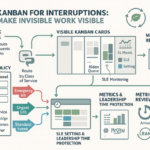
Slack pings feel urgent; the real cost is focus. Channel every ping into a simple Kanban card so ad-hoc work stops vanishing and prioritization becomes visible. Create a tiny Fast Lane for true expedites; everything else queues, protecting maker time. Limit work-in-progress (WIP) to cut context switching. Measure interrupt arrival rate and lead time to forecast capacity and negotiate boundaries in the open.
Visualizing the Invisible: Using Kanban to Expose Hidden Ad-Hoc Work
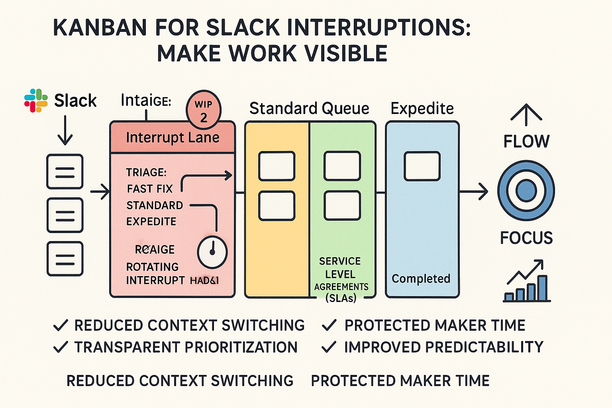
Slack pings and drive-bys are unplanned demand; map them on Kanban to regain capacity and predictability. Add an Interrupt lane with WIP limits; every ping becomes a card. Volume and sources become negotiable because they’re finally visible.
Define an expedite policy and simple service level agreements (SLAs); everything else queues. Maker time is protected without saying no to helpful requests. Measure the interruption tax—cards per day and time to resume—so boundary-setting becomes a fair tradeoff grounded in data.
Reducing Context Switching: Crafting Humane Policies for Quick Requests
Slack pings feel helpful, but each switch adds an interruption tax and hides real demand. Humane policies turn quick asks into visible flow without blocking help.
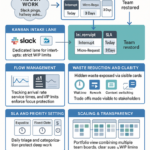
- Route all quick requests into a Kanban intake lane from Slack; one place to see volume, age, and capacity.
- Set service windows and 30-minute timeboxes; two sweeps beat all-day thrash.
- Triage by class: Fast Fix, Standard, Expedite with an approver and WIP cap; clarity reduces arguments and protects focus.
- Protect maker time via a rotating interrupt handler and metrics that show reclaimed hours; the team helps without everyone getting derailed.
Result: predictable output and calmer teams.
Improving Predictability: Transparent Prioritization and Planning with Kanban
Slack pings feel like gravity; Kanban makes the pull visible so dates stop slipping. Channel every ad-hoc ask into one intake with triage windows; it cuts the interruption tax that quietly drains 20–40% of throughput.
Cap an Expedite lane and show its cost, keeping emergencies fast without hijacking maker time. Add WIP limits and simple service level agreements (SLAs), such as “review quick asks within 24 hours,” to calm expectations and curb switching. Track arrivals, completions, and cycle time to forecast realistically and negotiate trade-offs in the open.
Building Sustainable Flow: Scaling Capacity and Leadership Time with Continuous Improvement
Slack pings look small; together they erase capacity and leadership focus. Capture them in Kanban to restore flow and predictability. Make every ad-hoc ask a card in an Intake/Expedite lane; hidden demand becomes negotiable with data.
Tune WIP to cut context switching; teams regain focus hours and throughput. Set humane policies for quick requests versus true expedites; lightweight triage replaces drive-bys. Run experiments; track arrival rate, lead time, and the ~23-minute interruption tax. Leaders shift from firefighting to coaching and strategy.
Want quiet, reliable flow? Browse the calm, insight-led Lyaxis newsletter; when you’re ready for hands-on practice and coached reps, apply via Impruver University. Takeaway: visualize interrupts, constrain the urgent, and your roadmap ships again—more output, no extra headcount.