
Introduction: Finding the Balance Between Batch Size and Flow
I learned the hard way that the size of your work batches quietly dictates your speed, your stress, and your ability to keep promises. Right-sized batches turn ideas into outcomes faster; oversized batches clog QA (quality assurance), while undersized batches create thrash. The balance preserves flow, predictability, and leadership time. Batch size sets your lead time and fire‑fighting load. Get it right, and you’ll feel the difference almost immediately: steadier delivery, fewer fires, more focus.
Decoding Optimal Batch Size: Avoiding Bottlenecks and Overheads
Finding the “just right” batch size isn’t guesswork. Start with a simple heuristic: target batches that clear one stage in 1–3 days. If review age rises or queues exceed active work, shrink the batch; if status noise spikes, grow it slightly. Then layer in a few data‑backed checks to keep the system honest.
- Use Little’s Law: target a lead time W* and measure recent throughput (λ, the average completion rate); set stage WIP (work in progress) L = λ × W*, and size batches so touch time exceeds wait.
- Split when queues age: if queue age is greater than one service interval or the review backlog exceeds 20% of WIP, divide work so defects surface earlier and flow steadies.
- Bundle when changeover dominates: if setup or changeover takes more than 25% of effort, group items (for example, by reviewer) to cut context switching.
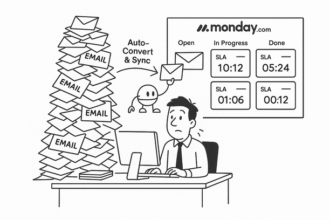
- Instrument for signals: views that highlight WIP, age‑in‑stage, and SLA (service level agreement) thresholds make bottlenecks visible before they become fires.
Takeaway: right‑sized batches raise throughput without bruising team flow.
Setting Smart Stage Gates to Protect Quality and Accelerate Delivery
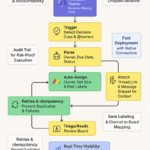
Stage gates should act like lightweight guardrails—simple, visible, and binary—so teams ship faster with less rework. Make the criteria explicit, automate what you can, and tie gates to the true bottleneck so the system stays stable.
- Right‑size to the bottleneck: match batch size to the constraint’s capacity; WIP limits stabilize cycle time and reduce context switching.
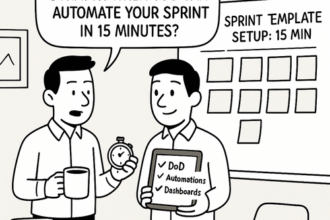
- Define “Ready” and “Done” clearly: unambiguous definitions remove debate at handoffs and shrink lead time.
- Automate the checks: tests, linters, and security scans can enforce definitions of “Ready/Done” in seconds.
- Make gates visible as queues: show WIP, aging, and blockers so risks are obvious and timely.
- Keep exit criteria binary and auditable: predictable handoffs speed reviews and make rework rarer.
Expect fewer fires, steadier forecasts, and more leadership time.
Visualizing Flow: Leveraging Monday.com Views for Real-Time Insights
Turn Monday.com into a live map of your flow so you can size batches and enforce gates without slowing teams. The right views surface WIP, queues, and handoffs in real time—often lifting throughput with minimal overhead. If you’re getting started, try linking your Monday boards through this quick path: Monday.com.
- Kanban by stage with item‑age highlighting: add an Item‑age formula and color rules to flag work stalled beyond 48 hours—no heavy admin required.
- Cycle‑time charts (Created→Done): visualize where tiny tasks thrash and big ones clog QA to pinpoint the batch‑size sweet spot.
- Workload for capacity and gentle WIP: show who’s at limit to nudge sensible WIP and protect deep work.
- Dependencies plus a “Ready‑for‑review” gate: automate clean handoffs so reviews begin as soon as prerequisites clear.
- Expose the real constraints: WIP limits, aging‑in‑column, cycle‑time widgets, and SLA (service level agreement) colors make bottlenecks unmistakable and guide the next small improvement.
Sustaining Momentum: Reducing Context Switching and Freeing Leadership Time
Momentum dies when context switches multiply. Tight cadences, visible queues, and crisp gates keep teams focused and give leaders their calendars back—without sacrificing control.
- Keep batches moving in 1–3 days per stage: if review piles up, split; if status noise and thrash appear, merge thoughtfully.
- Lock in binary stage gates: “ready/done” removes ambiguity, raises quality, and lowers lead time.
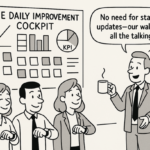
- Replace status meetings with signals: use asynchronous (async) updates and a single weekly decision block so leaders regain hours while staying informed.
- Let views drive decisions: expose WIP, queues, and dependencies so escalation is exception‑based, not calendar‑based.
Want copy‑ready gates and views you can drop in? Skim the Lyaxis newsletter—insight first: Lyaxis newsletter.