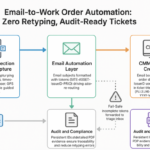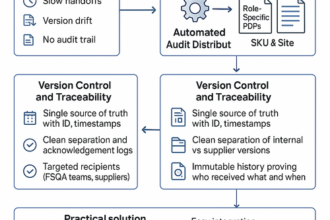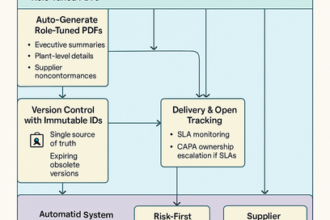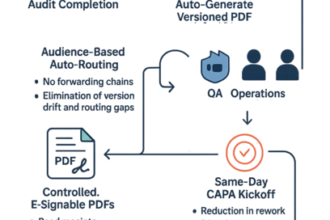
Introduction: Streamlining Field Inspections Into CMMS Work Orders
After years shepherding maintenance teams, I learned the hard way that great inspections don’t fix anything until they become great work orders. The biggest gains came when we treated the email subject as a routing key, made photos the default evidence, and let the CMMS do the sorting. Here’s how those simple habits turned slow handoffs into same‑day fixes.
Inspections only help if they become clean CMMS (computerized maintenance management system) work orders, fast. Automating email-to-ticket flow with smart naming and evidence by default cuts handoffs, errors, and lag.
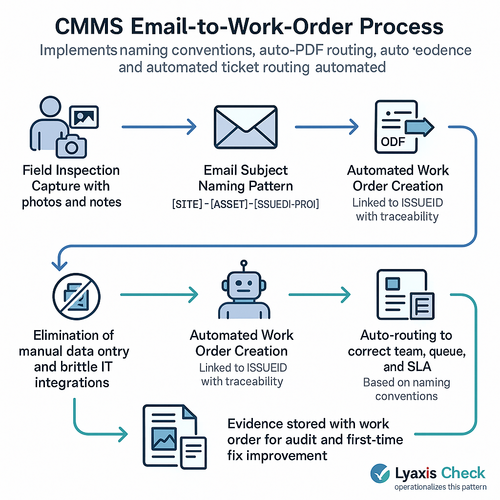
- Subject patterns like SITE-ASSET-ISSUEID-P2 (priority level 2) let CMMS rules auto-route to the right queue and SLA (service level agreement).
- Photos inline; inspection PDF auto-attached; nothing gets lost or retyped.
- ISSUEID maps to the work order for traceability and first-time fix context.
- Lightweight email rules sidestep IT (information technology) queues and brittle custom integrations.
- Standardized conventions boost data quality across sites and reduce admin drag.
Want proven patterns without pressure? Lyaxis Check operationalizes this; their newsletter unpacks the naming templates.
Eliminating Manual Data Entry with Email-to-Ticket CMMS Automation
Manual data entry delays repairs and muddies CMMS data. Email-to-ticket turns inspection emails into work orders automatically.
Use subject naming—[SITE]-[ASSET]-[PRIO]-[ISSUEID]—so intake rules route by team and SLA (service level agreement). Parse body tags to fill fields; auto-attach photos and auto-PDF summaries to keep evidence bound. Persist ISSUEID into the WO (work order) for traceability and higher first-time fix. Skip IT (information technology) queues by using native email intake, not brittle integrations.
Outcome: faster tickets, fewer errors, clean audits. Lyaxis Check embeds these patterns; our newsletter unpacks naming and routing you can copy.
Smart Naming Conventions and Auto-PDF Routing for Seamless Work Order Intake
Field findings shouldn’t stall in inboxes. Smart naming and auto‑PDF routing turn photos and notes into CMMS work orders fast.
- Use consistent tokens in subjects/files: SITE-LOC-ASSET-ISSUEID-Priority-Date; systems route by site, asset, and severity.
- Email-to-ticket rules read these keys and auto-assign team, SLA (service level agreement), and cost center—no retyping.
- Bundle images into a single PDF with thumbnails and timestamps; link the ISSUEID into the CMMS field for traceability.
- Keep original filenames; searchable history improves and first‑time fixes follow.
If you want a ready pattern library and routing that your techs actually use, Lyaxis Check can quietly switch this on—and you keep the insight.
Leveraging Lyaxis Check to Capture Evidence and Link Issue IDs Effectively
Linking evidence to issue IDs accelerates repairs and simplifies audits. Lyaxis Check captures photos, notes, and timestamps, then emails them into your CMMS (computerized maintenance management system)—no retyping.
- Standardized naming auto-routes: Subject “WO|SITE-ATL|ASSET-HVAC-17|ISSUE-8421|P2”; file “ISSUE-8421_Photo01.jpg”.
- Auto-PDF bundles compile notes and images per issue ID for traceable, first-time-fix context.
- QR (quick response) / NFC (near-field communication) scans bind evidence to the correct asset, ticket, and technician.
- Uses existing email intake—no brittle integrations or IT (information technology) queues.
Result: faster work orders, cleaner data, and leadership time back. Curious? Lyaxis Check’s newsletter breakdown shares naming patterns leaders use—steal what fits.
Unlocking Faster Repairs and Compliance with Better CMMS Workflow Design
Faster repairs and cleaner compliance come from workflow design, not headcount. Make evidence the work order.
- Email-to-ticket: Field inspections send findings to your CMMS inbox; subject “WO|DAL-RTU7|Leak|P1” auto-routes to site, asset, priority.
- Smart naming: Standardize “[SITE]-[ASSET]-[ISSUE]-[SEV]”; attachments like “2026-08-11_DAL_RTU7_CHK-2045.pdf” stay attached and searchable.
- Full context: Auto-PDF the checklist, embed photos, and link Issue ID CHK-2045 to the WO (work order) for traceability and first-time-fix gains.
- Low friction: Lyaxis Check shows naming recipes and auto-PDF routing that work today, no IT (information technology) queue or custom integrations.
Takeaway: Quieter ops, faster SLAs (service level agreements), and audit-ready trails.