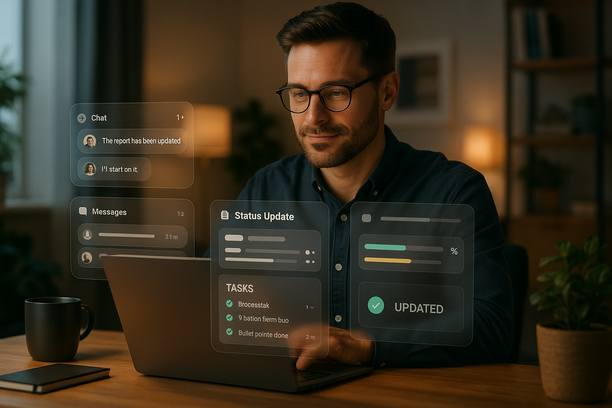
Introduction: Reclaim Leadership Time by Replacing Status Meetings
I learned the hard way that our “quick” status meeting wasn’t quick at all. It soaked up attention, scattered focus, and rarely changed outcomes. When we replaced it with concise asynchronous (async — work that happens without everyone present at the same time) updates, we immediately reclaimed about four hours per week and sharpened accountability. What worked wasn’t magic: a clear template, consistent timing, and light automation so follow‑through happened without chasing. This article distills that pattern and shows how to put it into practice with a system leaders can scan in minutes.
Why Recurring Status Meetings Drain More Time Than They Save
Status meetings feel safe, but the math says otherwise—and the hidden costs are worse than the calendar slot.
- The calendar math destroys focus: With 10 people, 30 minutes becomes five hours; add 10–15 minutes of prep and cool‑down each and you’re past eight.
- Context switching compounds loss: Every switch burns 10–20 minutes and fractures deep work.
- Live updates dilute signal: Decisions vanish in chatter, and leaders end up chasing clarity.
- Time zones add friction: Teams choose between after‑hours or delaying risk reviews.
The antidote is a structured, asynchronous cadence: short written updates that standardize what matters, arrive on schedule, and trigger the right next steps without a meeting.
Designing a Structured Asynchronous Update Cadence That Scales
Replace status meetings with a predictable rhythm that scales across teams and time zones while restoring focus.
- Set clear owners and deadlines: Treat updates as deliverables with due‑times everyone can meet across time zones.
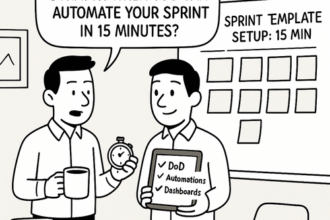
- Standardize the update template: Use a five‑sentence post covering goal, progress, blockers, decision needed, and next step—optimized for two‑minute scanning.
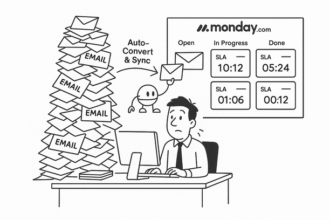
- Centralize the work: Keep everything in one board with a single updates feed and leadership dashboard rollups for rapid triage.
- Automate the follow‑through: Send nudges, enforce cutoffs, and escalate risks so no one has to chase updates.
- Make accountability explicit: Assign exactly one accountable owner per stream; keep approvals asynchronous with an auditable trail.
Done right, this cadence gives leaders reliable visibility, reduces after‑hours syncs, and enables faster, safer decisions.
How Monday.com Updates Streamline Visibility and Accountability
Status meetings burn hours yet rarely change outcomes. Monday.com turns updates into a living system that shows progress, flags risk, and moves work—without calling a room.
- Standardize the signal: Use a five‑field update—status, delta (what changed), risk, decision, next step—so leaders can scan in minutes.
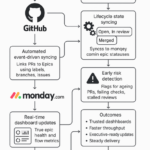
- Automate the follow‑through: Turn status changes into owners, due dates, and nudges across time zones.
- Centralize visibility: A single updates feed and dashboard rollups cut chat noise and time‑zone friction.
- Make it auditable: Keep decisions and risks traceable for compliance and post‑mortems.
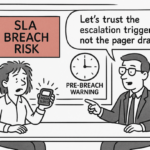
Example: When an item flips to “Blocked,” auto‑assign a resolver, set a 48‑hour Service‑Level Agreement (SLA), post an update, and surface it to Risks—no chasing. Teams routinely reclaim about four hours per week and halve follow‑up churn.
Building Trust and Winning Adoption for Meetingless Operations
Trust powers meetingless operations. Show that alignment lives in written updates, not on calendars, and the system earns believers fast.
- Set transparent norms: In Monday.com, pin a one‑line template—Goal, Status, Risk, Next—and define due‑time Service‑Level Agreements (SLAs).
- Leaders model the behavior: Post your weekly update in the same board; replace flyby chat messages with clear, time‑zone‑friendly comments.
- Close loops fast: Start with one team. Auto‑nudge late updates, surface risks to a dashboard, and celebrate time saved from one canceled meeting.
Want the patterns and a ready template? The Lyaxis newsletter distills what works—insight first, tools optional—and includes copy‑ready examples you can pilot quickly. Read it here: Lyaxis Newsletter.