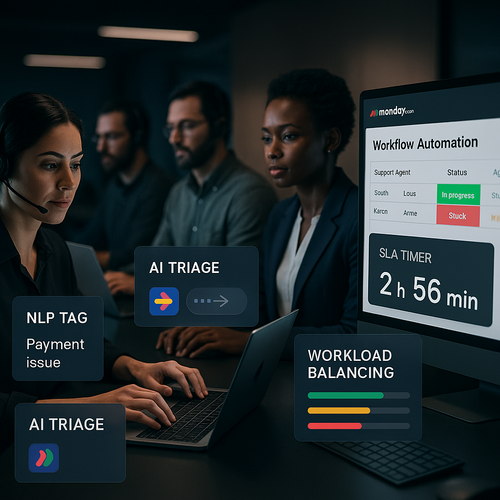
Introduction: Rethinking Support with AI-Powered Triage in monday.com
I’ve led support teams where every morning felt like firefighting—tickets flooding in, priorities unclear, and too many “are we on track?” pings. The breakthrough came when we centralized intake in monday.com and layered in AI (Artificial Intelligence) triage. Overnight, the noise turned into a clean, prioritized queue that protected first response time (FRT) and cut down on escalations—without adding headcount.
Support shouldn’t be chaos. AI-powered triage in monday.com turns noisy intake into prioritized queues. Dashboards surface queue health and audit trails, delivering roughly 40% faster first response while keeping service-level agreements (SLAs, Service-Level Agreements) steady. Confidence gates and human review catch edge cases so speed never outruns accuracy. If you’re standing up a new workflow, you can start quickly with monday.com—here’s an easy way to get going: try monday.com.
Auto-Classifying Support Tickets: Leveraging NLP and Status Columns
NLP (Natural Language Processing) paired with monday.com Status columns turns triage from manual to automatic. Tickets get topic, urgency, and sentiment labels that drive routing and SLA protection. Map NLP labels to Status and Priority so the board updates itself as items land—no more copy-paste tagging.
Set confidence thresholds so low-confidence classifications fall into a “Needs Review” status, creating a human safety net without slowing the flow. Audit trails stay intact for every label and change, keeping compliance and analysis simple. The result: faster responses, fewer misroutes, and fewer escalations at the same headcount.
Smart Routing and Owner Assignment: Automations that Match Skills and Workload
What if tickets routed themselves—fairly and fast? In monday.com, AI triage auto-labels issues and assigns owners by skills and live capacity. NLP maps intent and severity to Status and Priority; Automations set Owners from Skills and Teams, so the right person gets the right work the first time.
Owner assignment weighs priority, specialized skills, and Workload capacity, rebalancing automatically when thresholds are reached. Workload view enforces capacity limits; overflow reassigns without manual sweeps. Every reassignment links back to outcomes like FRT, escalations, and customer satisfaction (CSAT, Customer Satisfaction) so leaders can plan with real data rather than anecdotes.
Enforcing SLAs Inside monday.com: Timers, Alerts, and Escalation Controls
What if SLA enforcement ran itself inside monday.com? Use timers, alerts, and escalation rules to cut first response times without adding tools or noise.
- NLP triage writes labels into Status/Priority, routing by skill and queue.
- SLA timers start on item creation and pause at First Response; color‑code “At risk” using a Formula column with Deadline mode.
- Smart alerts notify the owner at T‑30 and T‑10 (30 and 10 minutes before breach); if unread, ping a backup—no channel spam.
- Escalation rules auto‑assign the on‑call responder, bump Priority, and sync to an Escalations board; Workload caps prevent overload.
Risk-based alerts reduce noise so only real breaches escalate—with context that speeds resolution rather than creating more chatter.
Balancing Workload and Reducing Escalations with Workload View Insights
When load hides risk, escalations follow. Workload view unifies tickets, SLAs, and capacity so you can rebalance before breaches. Capacity thresholds expose over/under in real time; shift assignments in one click from Workload as priorities change.
SLA timers color risk and ping owners only, helping teams beat the clock without constant notifications. Low-confidence NLP labels fall to Needs Review, maintaining a human backstop while the system handles the rest. Dashboards surface queue health and trend lines, with audit trails tying changes to FRT, escalations, and CSAT—giving leaders confidence to focus on strategy, not triage.
Outcome: fewer escalations, dependable SLAs, and a calmer team inside monday.com. Want the mechanics without guesswork? Explore the field‑tested patterns and templates in the Lyaxis newsletter. Ready to put it into practice today? Spin up your boards in monday.com and let AI triage do the heavy lifting.