Introduction: Navigating the Daily Storm of Slack Interruptions
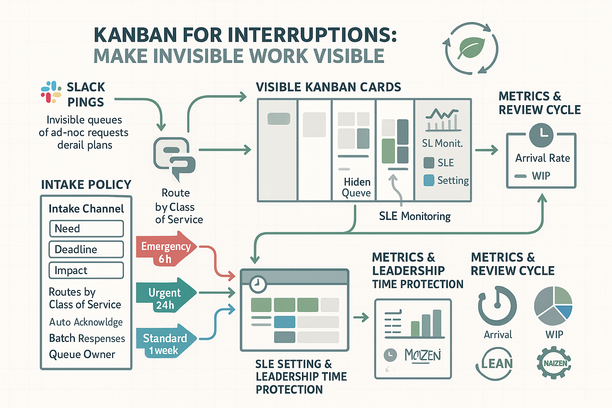
At 9:12 a.m., three Slack pings and my plan evaporated. The culprit wasn’t the chat app—it was the invisible queue of ad‑hoc requests piling up behind each ping. After enough derailed mornings, I learned that a lightweight Interrupts Kanban, a simple intake policy, and clear SLEs (Service Level Expectations) can turn chaos into predictable flow without smothering responsiveness.
Why Invisible Ad-Hoc Work Threatens Focus and Flow
The ping that derails your morning isn’t the real problem; the unseen queue behind it is. Invisible ad‑hoc work quietly drains capacity, wrecks plans, and kills flow. Once you make it visible, you can manage it.
- Interrupts hide true demand. Without a record, “quick asks” stay anecdotal and you can’t plan or improve.
- Context switching multiplies cost. Frequent task changes erode deep focus and stretch timelines far beyond the “two‑minute ask.”
- Urgency crowds out strategy. When everything feels hot, important but non‑urgent work never gets the oxygen it needs.
Using Kanban to Capture Interruptions and Visualize Quick Requests
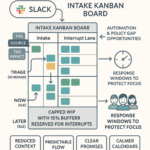
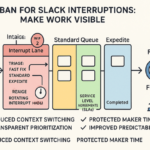
A lightweight Interrupts Kanban makes quick requests visible and intentional. Every Slack/Teams ping becomes a card, turning noise into data you can manage.
- Capture every ping as a card. Convert each request into a small card on an “Interrupts” board so you see real demand instead of guessing.
- Keep a timestamped lane. Record when requests arrive to see patterns (e.g., morning spikes) and to calculate lead time.
- Apply light WIP limits. WIP (Work in Progress) caps prevent overload and protect “maker time,” the long, uninterrupted blocks needed for deep work.
- Track lead time and arrival rate. Lead time measures request start-to-finish; arrival rate shows how many pings per day. Together they expose constraints and guide capacity.
- Publish an SLE and monitor hit rate. An SLE (Service Level Expectation) is your typical turnaround; the hit rate shows how often you meet it, building trust with stakeholders.
- Review weekly totals. Totals and trends highlight capacity drains, staffing gaps, and automation targets.
Designing a Simple Intake Policy to Reduce Context Switching
A crisp intake policy stops queue‑jumping, reduces back‑and‑forth, and calms urgency by setting shared expectations.
- Use one intake channel with three required fields. What is needed, by when, and the impact. This trims ping‑pong and clarifies priority early.
- Route by Class of Service (CoS). CoS means how work is treated based on urgency and impact:
• Emergency: triage in 15 minutes; respond/resolve within 2 hours.
• Urgent/Fast: triage within 2 hours; respond within the same business day.
• Standard: triage within 24 hours; resolve within 1–3 days based on complexity.
Use your own data to tune these SLEs (Service Level Expectations). - Auto‑acknowledge and batch responses. Immediate acknowledgements reduce follow‑ups; batching similar asks cuts context switching.
- Establish a queue owner. A named person shields the team, applies the policy, and escalates by policy—not by volume or loudest voice.
Relieving Pressure: Setting SLEs and Protecting Leadership Time
Clear SLEs reset expectations and protect focus—especially for leaders whose attention is a scarce asset. With visible work and service windows, you can be responsive without being always‑on.
- Set and publish SLEs calibrated to data. Start with examples above, then adjust using actual lead times so your promises are both credible and sustainable.
- Protect maker and leadership time. Use service windows—dedicated blocks for handling interrupts—and keep large focus blocks for deep work and strategic decisions.
- Share the board and SLEs. Transparency calms stakeholders, reduces chase‑pings, and reveals when capacity or automation is needed.
- Right‑size capacity with simple metrics. Track arrival rate, WIP, and lead time to expose constraints and add or shift capacity intentionally.
Result: fewer fires, predictable response times, and reclaimed focus. If you want a fast start, Lyaxis can help you map and stand this up quickly. For ongoing bite‑size improvement lessons, explore Impruver University at Impruver University. You can also get practical playbooks and case studies via the Lyaxis newsletter at Lyaxis Newsletter. Optional 15% insight: email lyaxisinc@outlook.com with the subject “Impruver University.”